
Getting Started with Mory
On this page
1. What is Mory?
Mory is a local-first Chrome extension for saving, organizing and exporting important conversations from multiple AI websites.
2. How do I download Mory?
Install the stable version from the Chrome Web Store, or use a GitHub or Feishu package to try newer updates sooner.
Install from the official store and receive stable updates automatically.
Get new releases and bug fixes sooner through downloadable packages.
A more accessible download option for users in mainland China.
3. How do I install Mory?
For a manual installation, download and unzip the GitHub or Feishu package, then follow these steps to load Mory in Chrome. Chrome 116 or later is required.
1. Unzip the package
Unzip the Mory Chrome package. Keep the extracted folder in place; if it is moved or deleted, you will need to load the extension again.
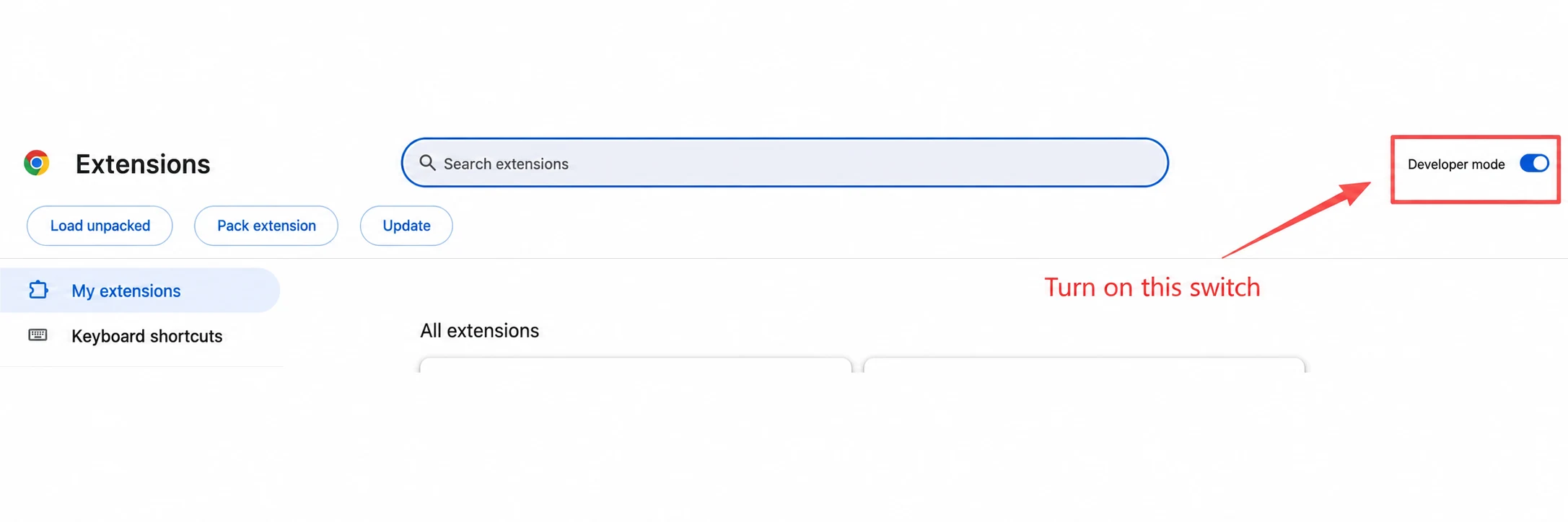
2. Open the extensions page
Enter chrome://extensions in the Chrome address bar, then switch on Developer mode in the top-right corner.
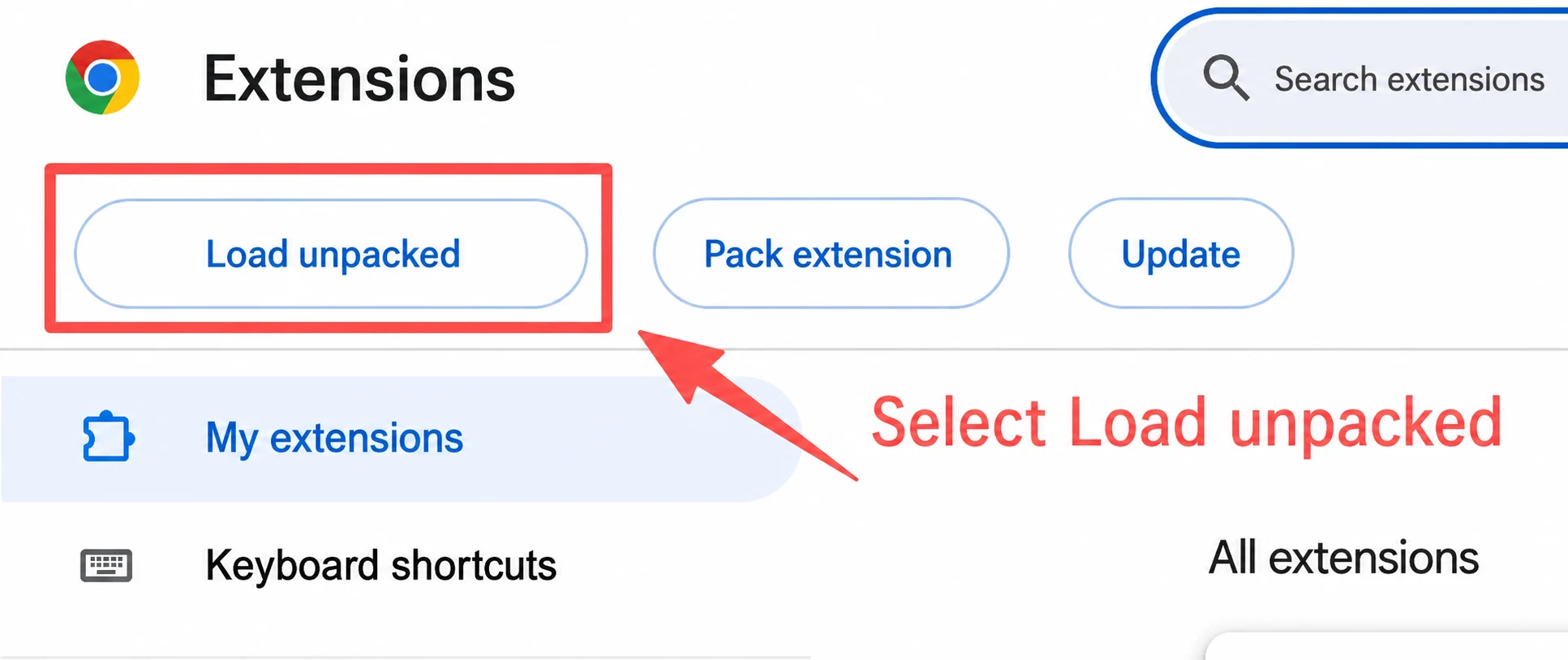
3. Load the extracted extension
Select Load unpacked and choose the extracted folder. Pick the folder that contains manifest.json, not the ZIP file.
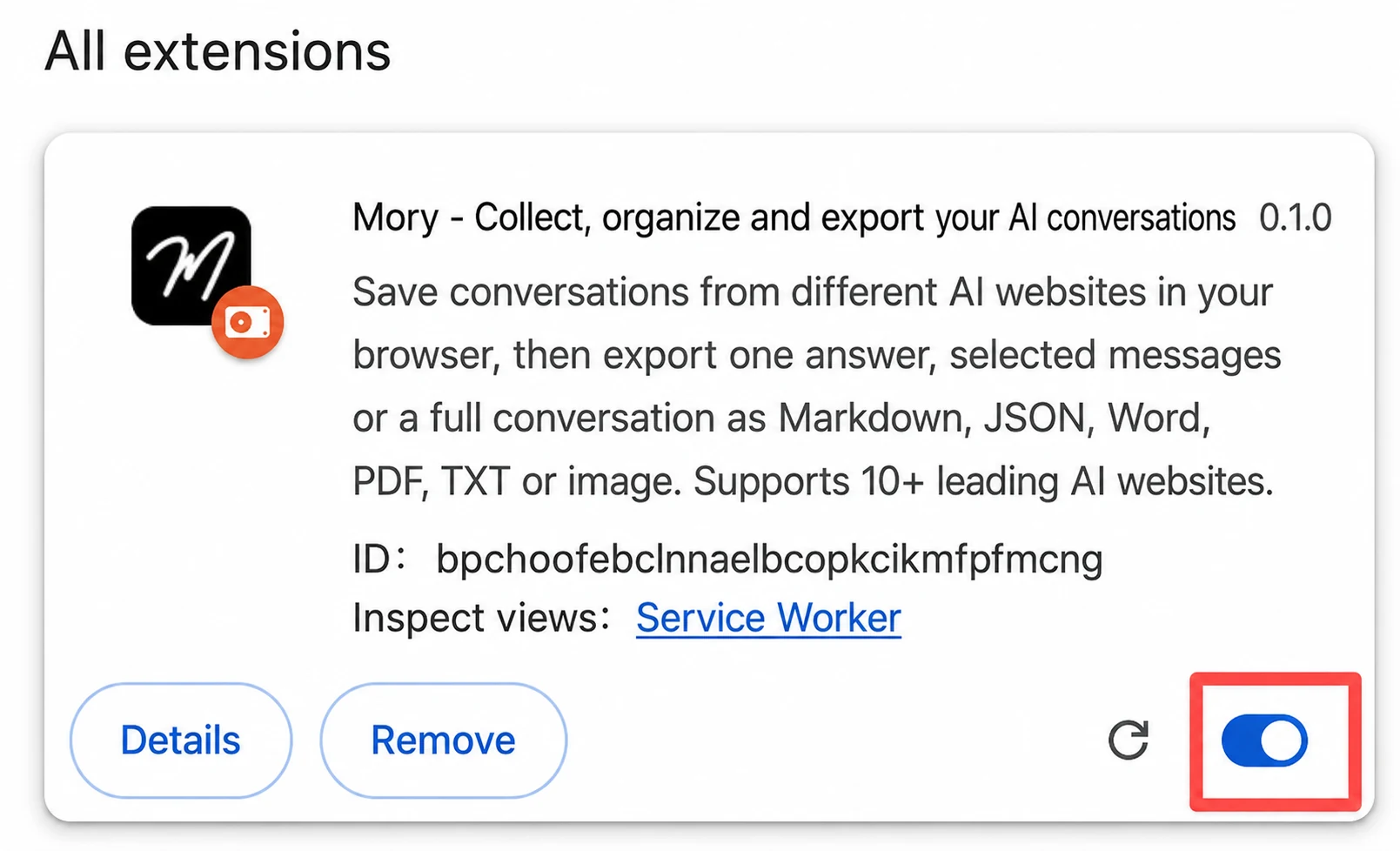
4. Confirm installation
When Mory appears on the page and its switch is enabled, installation is complete.
4. Why use Mory?
AI websites keep chat history, but saved content can still be difficult to find, export faithfully and reuse later.
- Useful conversations are scattered across ChatGPT, Gemini, Claude, DeepSeek and other platforms.
- Important answers get buried inside long conversations and dense context.
- Across sessions, high-value content is mixed with ordinary chats and becomes hard to rediscover.
- Manual copying can lose headings, lists, code, tables, formulas and other structure.
- Content kept inside one AI service does not flow easily into Obsidian, Notion, Word or other workflows.
How Mory helps: Mark important content as you read, collect a single answer, selected messages or a full conversation, then export it to your computer or knowledge base when needed.
5. What can Mory do?
Mory offers five core capabilities built around three goals: finding what matters, preserving its structure and moving it into your own workflow.
1. Collect across AI platforms
Save one answer, selected messages or a complete conversation from different AI websites. Saved conversation content stays in your browser by default.
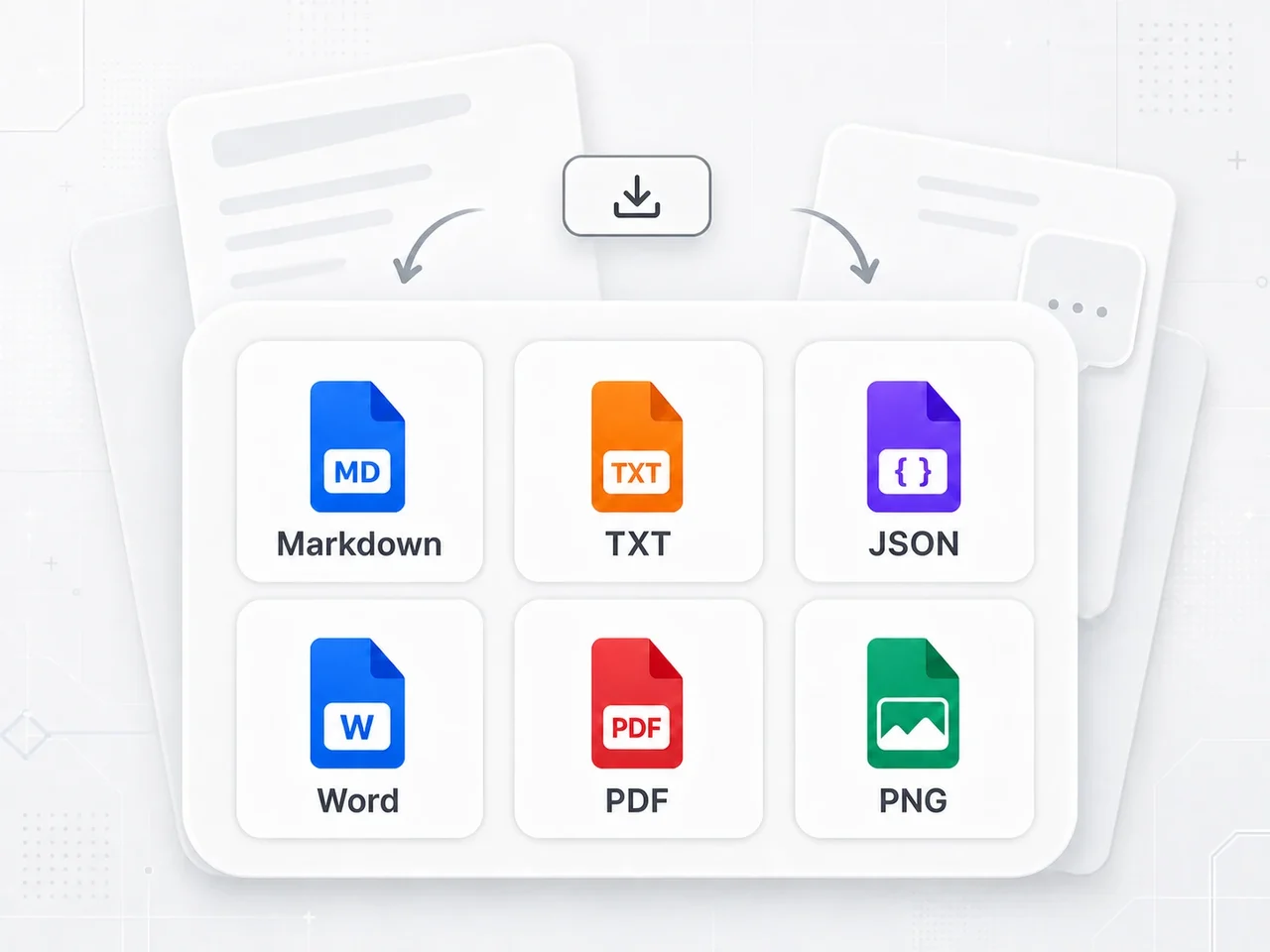
2. Export in multiple formats
Export as Markdown, TXT, JSON, Word, PDF or images. Free users can create up to five PDF or image exports per day.
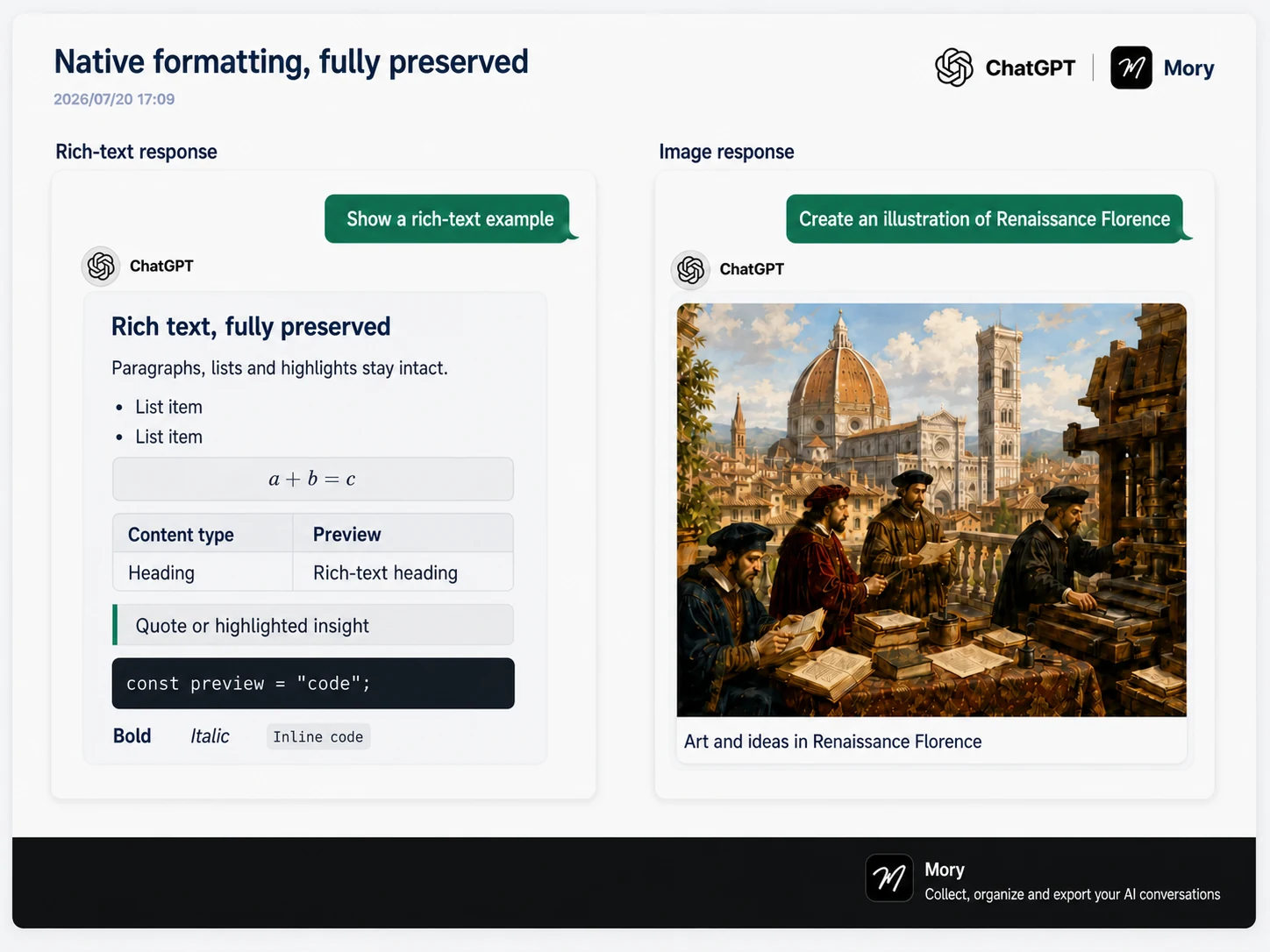
3. Preserve the original structure
Mory preserves headings, lists, code blocks, tables, formulas and images wherever possible, producing clear and readable PDFs and images.
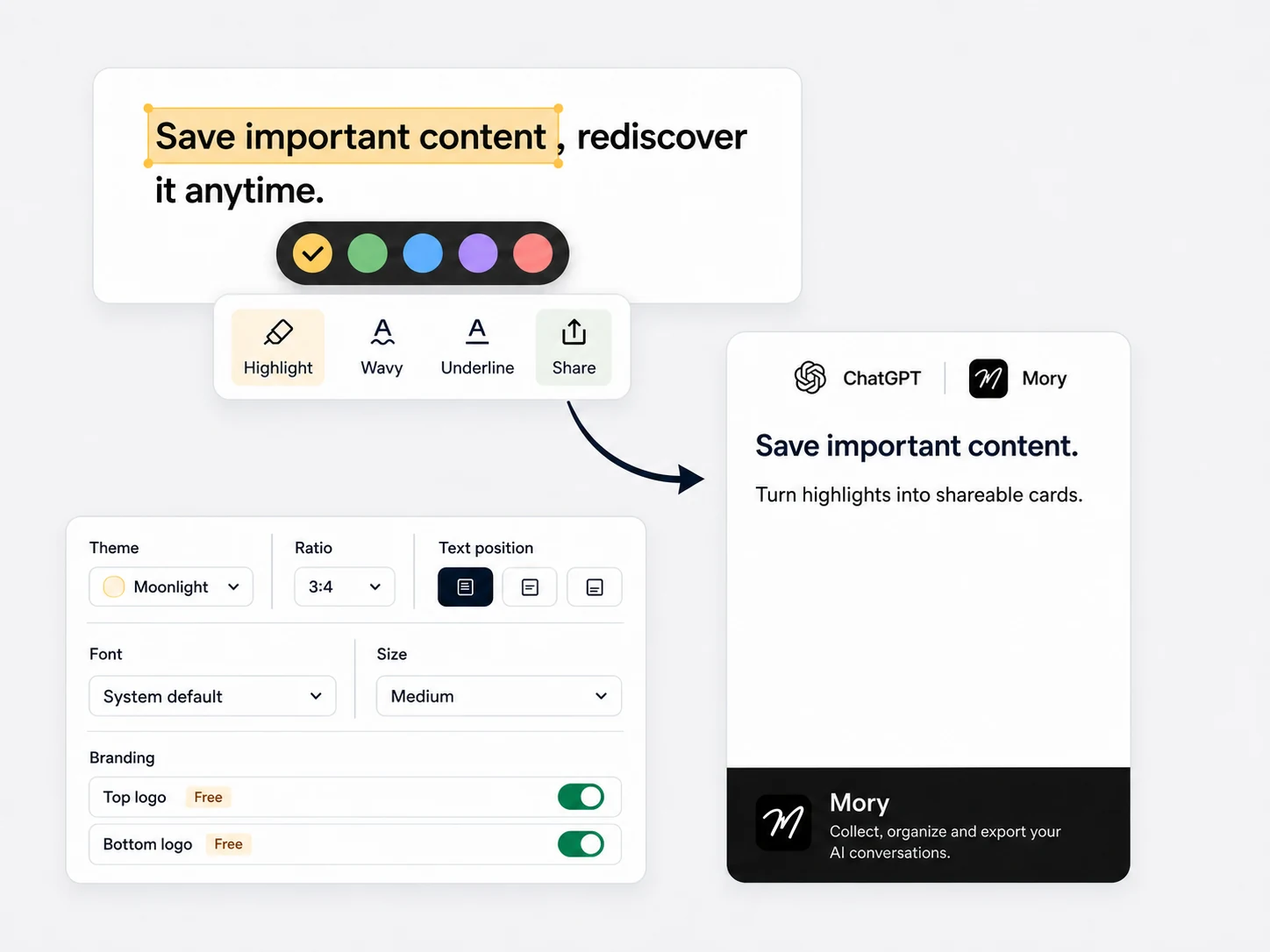
4. Highlight and share
Highlight important parts of an AI response with different styles and colors, then turn the selected content into a share card.
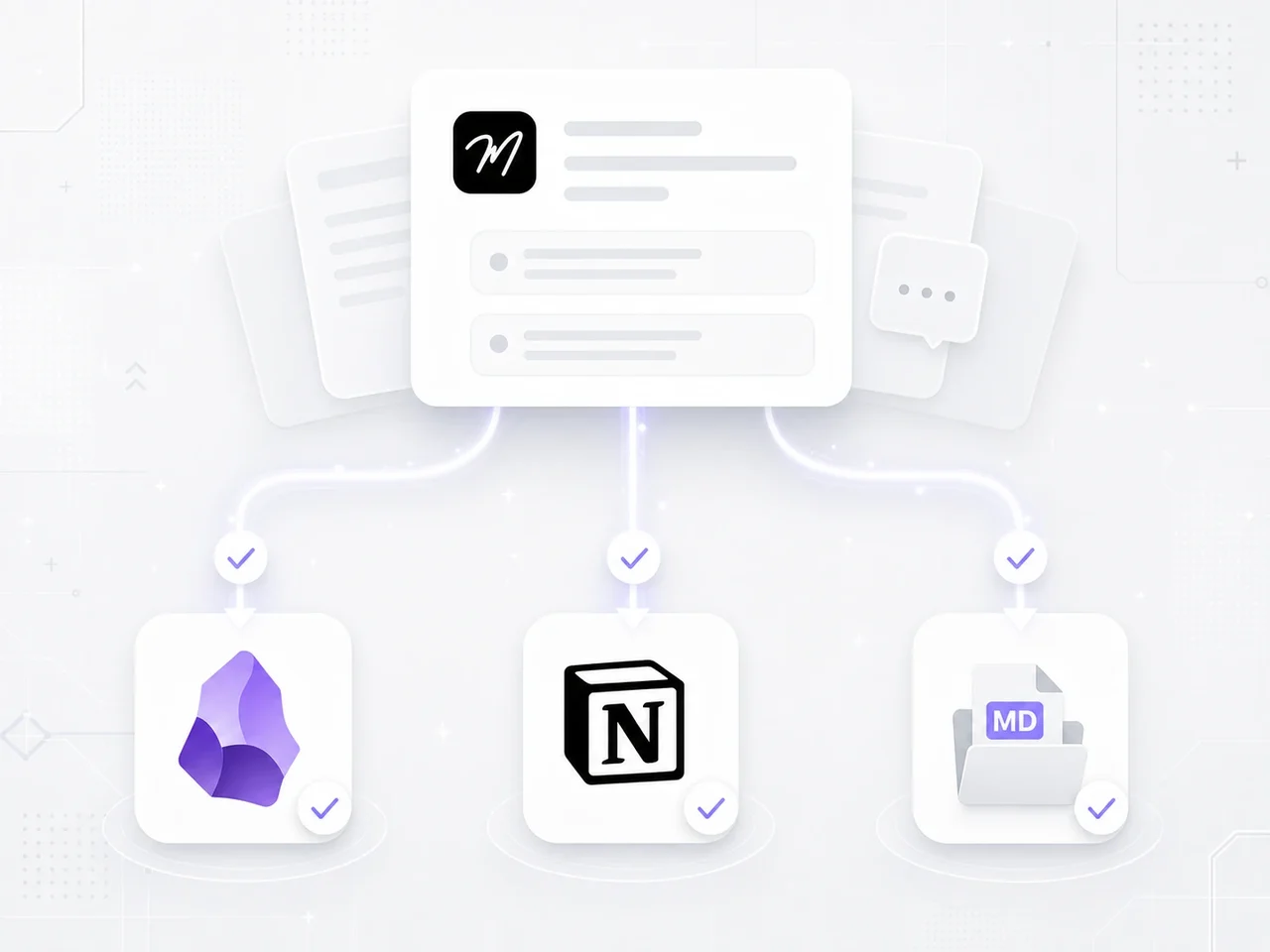
5. Export to Notion and Obsidian
Send selected conversations and highlights to Notion or Obsidian. To use Obsidian, install the Mory Bridge companion plugin, which lets Mory sync content to your existing vault.
6. Supported AI websites
Mory currently supports ChatGPT, Claude, Gemini, DeepSeek, Grok, ChatGLM, Kimi, Qwen, Doubao, Tencent Yuanbao, Perplexity and Copilot.
- ChatGPT
- Claude
- Gemini
- DeepSeek
- Grok
- ChatGLM
- Kimi
- Qwen
- Doubao
- Tencent Yuanbao
- Perplexity
- Copilot


Browser availability
| Browser | Status | Details |
|---|---|---|
| Google Chrome | Available now | Requires Chrome 116 or later |
| Microsoft Edge | Coming soon | Edge support is coming soon |
| Mozilla Firefox | Coming soon | Firefox support is coming soon |
Browsers and AI websites change frequently, so Mory may occasionally fail to recognize a page or export correctly. When reporting a problem, include the AI website, browser and version, and the complete steps to reproduce it.
7. How do I report a problem?
Include the AI website, browser and version, and the complete steps that led to the problem. We will investigate as quickly as possible.